
Open the group
Use WhatsApp Web and choose the group you need.
Desktop Chrome extension for WhatsApp Web
Install the Chrome extension, open WhatsApp Web, choose the group, and download visible names and phone numbers as Excel or CSV rows for cleanup, follow-up, and CRM import.
Full export starts at $7.99 inside the extension. Built for desktop WhatsApp Web, not mobile WhatsApp.
Built for teams that already work from WhatsApp groups
Product preview
Open WhatsApp Web, choose a group, select the contact fields you need, and export the visible group data into Excel or CSV for cleanup, follow-up, or CRM import.
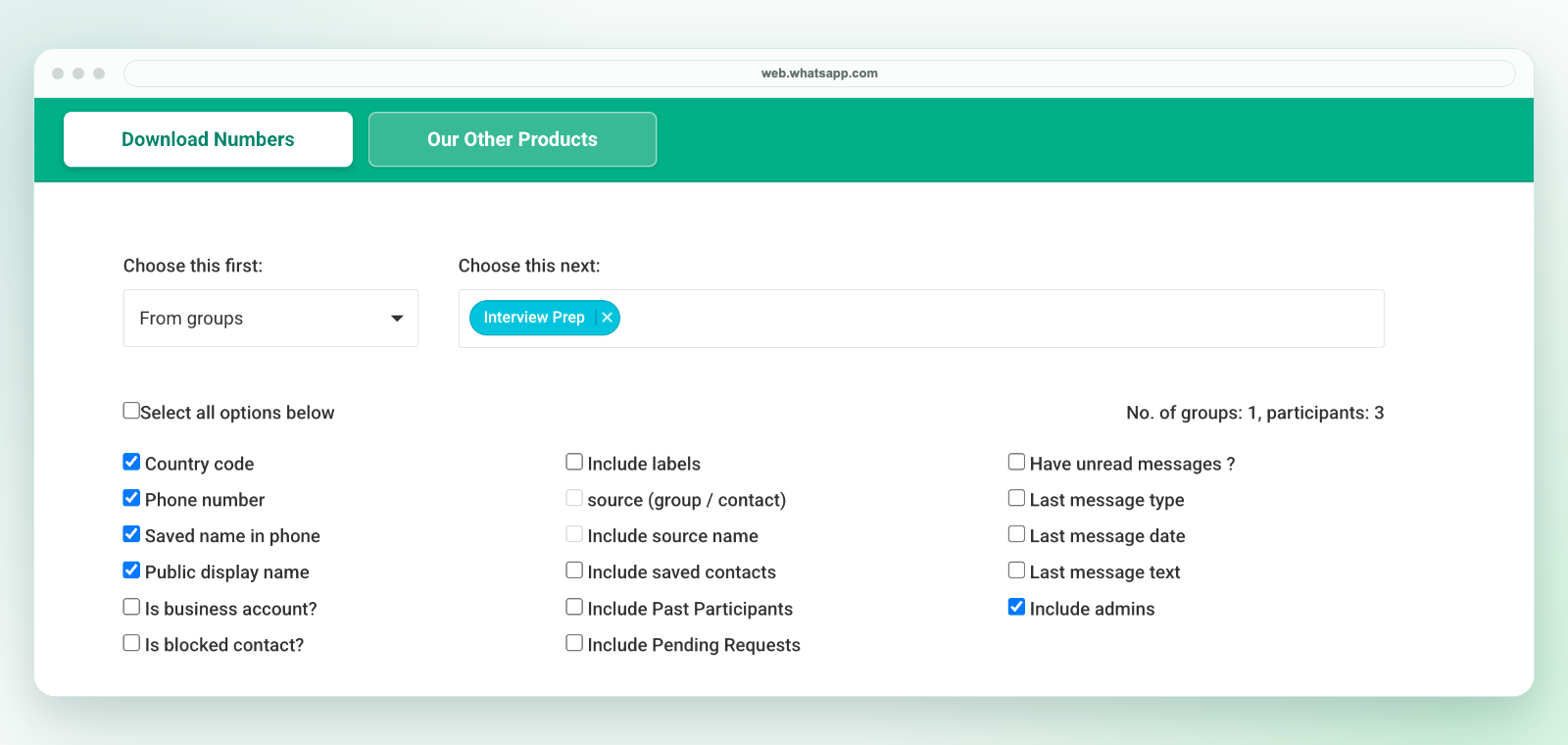
Inside the extension
When WhatsApp groups, labels, broadcasts, contacts, or open chats become working lists, the next step is usually cleanup, follow-up, assignment, or CRM import. This Chrome extension bridges that gap.
Workflow
Use WhatsApp Web and choose the group you need.
Capture the visible names and phone-number fields.
Download CSV or Excel-ready data for cleanup and follow-up.
Why teams install it
Most teams do not need another CRM screen at the start. They need a clean way to move visible WhatsApp Web contacts into Excel or CSV, review the rows, remove duplicates, assign owners, and then decide what belongs in the CRM or follow-up workflow.
| Workflow | What happens | Best next step |
|---|---|---|
| Manual copy-paste | Numbers and names are copied one by one from WhatsApp Web. | Use only for very small groups. |
| Screenshot or chat text | The team keeps a visual record but not a clean spreadsheet. | Use as context, not as an import file. |
| WA - Download Group Phone Numbers | Visible contacts become Excel-ready or CSV rows with useful export fields. | Review, dedupe, segment, assign, or prepare CRM import. |
Choose a workflow
Start with the output your team needs, then use the focused workflow for groups, phone numbers, Excel, or a guided export.
Use cases
Resources for cleanup and CRM handoff: WhatsApp contact export resources, WhatsApp CRM Import Template, WhatsApp contact export fields, WhatsApp contact backup from WhatsApp Web, and WhatsApp group lead list. For policy and review workflows, use the WhatsApp contact export guides and responsible WhatsApp contact export checklist.
Guide
Read the step-by-step guide for moving visible WhatsApp Web group contacts into Excel or CSV, including when manual copy-paste is enough and when a structured Chrome extension workflow is better.
Pricing
Install the Chrome extension, choose the contacts and fields you need, then unlock full export from the payment screen inside the extension.
Best for teams that want ongoing access and compatibility updates. Renews monthly and can be canceled.
One payment, no renewal. Pay $25.99 by Stripe or INR 2,500 by UPI; manual activation follows payment verification.
One payment, no renewal. Available by Stripe for $9.99 or by UPI for INR 649; manual activation follows payment verification.
Install

Questions
Short answers for the common questions before installing the Chrome extension.
Yes. WA - Download Group Phone Numbers is built for exporting visible WhatsApp Web group contacts into Excel-ready or CSV files.
It focuses on visible contact names, phone numbers, country-code context, source details, saved-contact status, and spreadsheet output. See the export fields page for a fuller breakdown.
Common users include sales teams, coaching centers, real estate teams, local commerce operators, events, and operations teams that already manage groups in WhatsApp.
Yes. The monthly subscription renews at $7.99 per month until canceled. The six-month and 30-day passes are one-time payments and do not renew.
After a Stripe or UPI one-time payment, send the payment confirmation and the WhatsApp number that needs access to support. We verify the payment and provide the license key for activation.
No. WA - Download Group Phone Numbers is an independent Chrome extension and is not affiliated with WhatsApp or Meta.